
Smart SIM registration
The Philippine government requires all Smart SIM users to complete Smart SIM registration to keep their SIM cards active. Register in minutes and stay connected legally without any interruptions.
Why SIM Registration is Required?
The SIM Registration Act was signed into law on October 10, 2022 to improve mobile security and protect consumers.
The law aims to:
The goal is to make mobile communication safer for everyone.
Who Must Register Their SIM

Filipino Citizens
Filipino citizens must register their SIM cards using a valid government-issued ID and personal information. The SIM Registration Act applies to all end-users in the Philippines.

Foreign Visitors and Tourists
Foreign tourists can register SIM cards, but their SIM validity is usually limited to 30 days. They need documents such as a passport, proof of Philippine address, and return or onward ticket.

Minors (Registered Under Parent or Guardian)
Minors are covered. The law states that a minor’s SIM must be registered under the name of the parent or legal guardian, with guardian consent and required ID documents.

Pocket Wi-Fi and Broadband Users
SIM cards used in pocket Wi-Fi devices, prepaid home Wi-Fi, broadband modems, and other data-only internet services must also be registered under the SIM Registration Act and its implementing rules.
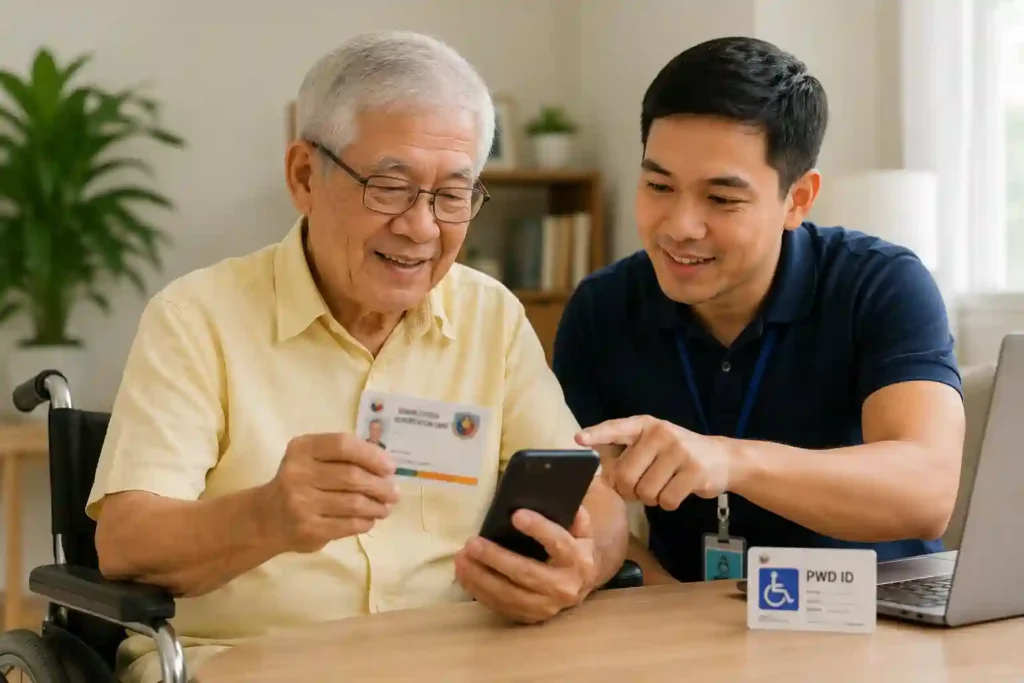
Seniors and Persons with Disabilities (PWDs)
Seniors and PWDs are also eligible to register. The law even recognizes Senior Citizen IDs and PWD IDs among acceptable government-issued identification documents.

Corporations / Businesses
Businesses and corporations can register SIM cards. The law requires business registration documents plus an authorized representative designated through proper corporate documents or authorization.
Note: Failure to register may result in automatic SIM deactivation
How to Register Smart SIM Card Online
1: SIM Registration via Portal
Turn off your phone before inserting the new SIM card. Insert the SIM card, turn on your phone, and wait for the signal bar and SMS from Smart with the Smart SIM registration link.
Step 1: Go to Website
Open simreg.smart.com.ph and ensure you have internet connection.

Step 2: Enter Mobile Number
Type your Smart number (start with 9, no leading zero).

Step 3: Verify OTP
Accept terms, request OTP, then enter the code and verify.

Step 4: Fill Details
Select registration type (new or old SIM) and choose a valid ID like:
Driver’s License, TIN ID, Passport, UMID, etc.

Step 5: ID & Selfie Verification
Take a photo of your ID and complete a face scan. Details will auto-fill.

Step 6: Enter Address
Fill in your address (province, city, barangay, ZIP code).

Step 7: Submit
Review all details and click submit.

Step 8: Confirmation
You will receive a success message and reference number. Keep it safe. SIM activation may take up to 24 hours.

2: Register Smart SIM Using GigaLife App
Step 1: Open GigaLife App
Download and open the GigaLife app on your phone.
Step 2: Start Registration
Tap “Register Your SIM Now” inside the app.

Step 3: Enter Mobile Number
Type your Smart SIM number and request OTP.

Step 4: Verify OTP
Enter the code sent to your number and verify.

Step 5: Fill Details
Choose SIM type and complete required information.

Step 6: Upload ID
Take a photo of your valid ID and submit it.

Step 7: Selfie Verification
Complete face verification using your camera.

Step 8: Submit & Confirm
Review details and submit. You will get a success message once registered.

Smart SIM Registration Rewards & Freebies
21GB
Free Data Total
5GB Instant Data
Receive 5GB data immediately after your SIM is successfully activated and registered.
30 Mins Free Calls
Enjoy 30 minutes of free calls to all networks right after SIM activation.
100 All-Network Texts
Send up to 100 text messages to any network nationwide upon registration.
16GB App Bonus
Sign up on the Smart app to unlock an extra 16GB data and exclusive reward points.
Requirements for SIM Registration Smart
The registration form is completed electronically through your telecom provider.
Personal Information Required
Prepare the following:
- Full name
- Nationality
- Date of birth
- Address
- Mobile number
- Valid ID and ID number
Requirements for Foreign Tourists
Tourists may need to provide:
- Passport
- Address in the Philippines
- Travel or admission documents
- Associated ID numbers
Tourist SIM cards may be deactivated after 30 days unless proof of stay extension is presented.
List of accepted IDs
Note: You are required to upload two different secondary IDs
Penalties for Violations
SIM registration violations are treated seriously.
Possible penalties may include:
Fines ranging from ₱100,000 to ₱200,000
Imprisonment from six months to two years
Or both, depending on the offense
Heavy Fines
Fines ranging from ₱100,000 to ₱200,000
Imprisonment
Imprisonment from six months to two years
Both Penalties
Or both, depending on the offense
Support and Assistance
Smart Prepaid & Postpaid Support
Smart Prepaid & Postpaid Support
Toll-free via Smart
Dial *888
Hotline
(02) 8888-1111
X (Twitter)
Telegram
*888 and (02) 8888-1111 are official Smart support hotlines.
FAQs
You can register your Smart SIM online through the official website simreg.smart.com.ph or via the GigaLife app.
Simply enter your mobile number, verify it with OTP, fill in your personal details, upload a valid ID, complete selfie verification, and submit the form. Once done, you will receive a confirmation message and your SIM will be successfully registered.
Insert your Smart SIM into your phone, turn it on, and wait for a signal and activation SMS from Smart. If required, complete SIM registration Smart at simreg.smart.com.ph or via the GigaLife app. After successful registration, your SIM will be automatically activated within a few minutes to 24 hours.
Smart SIM cards do not show a direct “expiry date.” Instead, they may get deactivated if inactive for a long period without load or usage.
If a Smart SIM stays inactive (no load, calls, texts, or data use) for around 120 days, it may expire or get deactivated. To keep your SIM active, you should regularly load or use it.
To estimate your SIM status:
Check your last load or last usage date
Keep the SIM active by loading even a small amount or using any service
If the SIM is already expired or deactivated, it cannot usually be recovered.
Insert your Smart postpaid SIM into your phone and turn it on. Wait for signal.
Then go to the official Smart SIM registration website, enter your number, verify it with OTP, and complete your details.
Upload a valid ID and selfie for verification, then submit the form.
Once approved by Smart, your postpaid SIM will be activated and ready to use.
To check your SIM registration status, enter your number on the official Smart SIM registration portal and complete the verification process. After that, it will show your SIM status. If registered, it will show “Registered.” You can also check it in the Smart or GigaLife app, where it shows the registered status. If not registered, it will show “Register your SIM now” at the top of the screen.